

Requesting Copies of Daily Routine Orders (DRO) from Library and Archives Canada under Access to Information and Privacy (ATIP)
This article was put together and provided to RCAF.info by David William Price.
Background on Daily Routine Orders (DRO’s)
At a base, Daily Routine Orders (DRO) were posted daily for men to read so they knew what was happening. and what they were supposed to do.
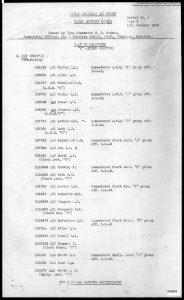
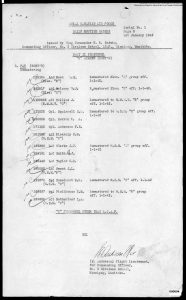
Part I of a DRO is administrative and details the routine for the day and who does what. Routines include raising of the flag, daily watches, occasions, and changes in required dress. You’ll find lists of names requiring men to report to the hospital, for inoculations, to the dentist, or to the accounts department. They also include notes where administrators complained about various behaviours and announced new rules or penalties to curb them. Examples include roughhousing, driving too fast and causing accidents, saluting women officers, using fake IDs to cross the border, and failing to show up for dinners they agreed to attend in town. You may also find lists of men requiring remedial training in a topic.
Part II focuses on personnel– first officers and then airmen. Here you will find movements such as lists of men arriving (and where they came from) or leaving (and where they are assigned to). You’ll find promotions and demotions, hospital admittance and discharge, flying pay, marriages, childbirths.
Restrictions and Redactions
These records are restricted due to personal information. However, in practice an access to information request will result in minor redactions, principally birthdates of children, service numbers and names of men who were court martialed for a crime, and a list of men whose Xmas leave was cancelled for having poor performance on their Morse tests. Otherwise, all the names and service numbers, spouse names and next of kin are there.
OVERVIEW OF REQUEST PROCESS
How do you find and request them?
- You will need to make an access to information request (ATIP) and pay $5
- You will be able to receive them as electronic PDFs downloadable from a temporary web page
- If your request is too broad, you may have trouble having it fulfilled
- To request DROs you will need to provide specific reference and item ID information
- A reference points to a collection, such as a box of documents. That box may have a large number of documents in it.
- An item ID points to one group of documents within that box.
Example
- I know my relative attended KTS (Composite Training School) Trenton in Fall of 1941. I wanted to review daily orders for the school for a few months leading up to his transfer to wireless school in October, 1941.
- SEARCH FOR DATA TO REQUEST
- Use the Library and Archives collection search web page.
- Choose advanced search
- Enter keywords comprising the name of your desired base (eg. “Air Station Trenton”) as well as the words “daily orders”
- In the date box, enter a restrictive date to narrow the results
- REVIEW RESULTS
- You’ll get a list of all the available Items of daily orders. Each Item covers a defined date range shown on the record.
- Click on the link for one of the items.
- You will see record information for the item which includes the following:
- Date range covered by this item
- Reference (e.g. the box the item is in)
- Item ID number for this item
- Example:
- For Air Station Trenton, reference R112, RG24-E-9, Volume number: 40573 (an entire box) includes items covering the date range of Jul 15, 1941 – Sept 30, 1941. Additionally, Volume number: 40574 contains specific items I want to also cover October: 4810811, 4810812, 4810813, 4810814. I can reduce the size of my request by only requesting the items I need from that box.
- Take notes of each item you want, its date range, its Reference and its ID Number.
- NOTE: A school/base seems to report entries/exits/promotions days or a week AFTER they occurred. So you may wish to pad your request. Also note that a service record indicates time periods for which a unit was RESPONSIBLE for a person… but during that specified time, the person may have graduated and gone on leave for a few weeks.
- ATIP ONLINE REQUEST
- You can make an access to information request online. Follow the link.
- You will need an ATIP account. It should guide you through your request and making an account.
- If you already have an account you can sign in (button near the top right)
- Answer the questions they ask.
- Example:
- My request is for information related to a deceased relative who attended training facilities during WWII as well as government operations of those facilities.
- Type of records
- personal information on a deceased individual
- Time passed
- 20 years or more (required unless you have consent from the estate)
- Evidence of death
- I have ready to upload a photo of a headstone, a funeral notice, and an obituary (you only need one) of my deceased relative
- Choice of institution
- choose “Select an institution”
- On the next page enter the institution name
- I entered “library” then clicked on Library and Archives Canada
- Eligibility
- Canadian citizen (I am)
- Request Label
- enter something meaningful to you
- I entered “[person name] Trenton 1941”
- Additional Details
- I provide the name, service number, service term, parents, and birthdate for my deceased relative because I can prove he’s been dead 20+ years and I don’t want his info to be redacted – I don’t know if this makes a difference
- Types of AF records requested
- don’t know /other
- Archival References
- here is where you need the reference and the item id’s you are requesting
- You are limited in space so shorten “volume number” to “vol”
- for example “R112, RG24-E-9, Vol: 40573 (all); also Vol: 40574 IDs: 4810811, 4810812, 4810813, 4810814”
- Litigation
- for me, “N/A”
- Please Describe your request
- Here is where you explain what you are looking for
- Ex. “My [relative] [name] [service number] trained at [location] from [date range]. I wish to review the Daily Orders to find all references to him: entry, promotions, leave, pay, travel, exit, and anything else. I wish to review the daily operations as well to understand his experience.”
- Request format
- electronic to ATIP account (my preference)
- Select files
- (I uploaded my photos of a headstone, obituary for proof of death + 20 years)
- Confirm your contact data
- Confirm your request
- Pay your $5 using a credit card
- You’ll receive a receipt for payment + your request through email
- In a few days you’ll receive an acknowledgement of your request with a deadline. However, ATIP may extend the deadline on further notice to you if they think your request is very large. This is a reason to (a) request only items (not whole boxes) of what you want; or (b) break requests into pieces.



Can you request DRO’s for non-relatives? I am promoting citizens to research aircrew who died in WWII with no known graves. Could these members of the public request these orders to help them with their historical research?